The Best Memory
The Best Memory
Challenge your mind and sharpen your memory with The Best Memory, a stimulating puzzle game right in your browser. With its simple yet engaging gameplay, The Best Memory is designed to boost your cognitive skills while providing an enjoyable experience. Get ready to test your memory and improve your focus!
Unveiling the Pairs: Core Gameplay
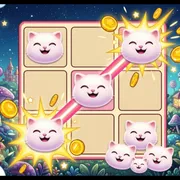
The Best Memory centers around the classic matching game mechanic. You'll be presented with a grid of hidden items, and your goal is to reveal two items at a time, searching for matching pairs. If the items match, they're removed from the grid. If they don't, they're hidden again, requiring you to remember their locations. The game loop is simple: reveal, remember, match, and repeat until all pairs are found. A typical session involves clearing multiple grids, each potentially with increasing difficulty.
Solo Brain Training: One-Player Mode
The Best Memory offers a solo game mode where you can challenge yourself to improve your memory skills. Focus on clearing the board as quickly as possible, minimizing your mistakes. This mode allows you to play at your own pace and track your progress as you enhance your cognitive abilities.
Mastering the Mind: Strategies for Success
Becoming proficient at The Best Memory involves more than just luck. A key strategy is to actively visualize the location of each revealed item. Pay close attention to the patterns on the cards and create mental associations to aid recall. With practice, you'll develop a stronger spatial memory, allowing you to clear the grids more efficiently.
Clean and Clear: Visual Design
The game features a clean and intuitive visual design, ensuring a distraction-free experience. The focus is on clear presentation of the items to be matched, allowing you to concentrate on the core gameplay. The simple art style contributes to a relaxed atmosphere, perfect for focused brain training.
First Five Minutes: Getting Started
When you first launch The Best Memory, take a moment to familiarize yourself with the grid layout. Start by clicking on any two items to reveal them. If they don't match, try to remember their positions before they flip back over. A common beginner mistake is to click randomly without trying to memorize the revealed items. Focus on building your memory from the very first click.
Frequently Asked Questions
How many levels are there in The Best Memory?
The number of levels is not specified, but the game is designed to offer increasing difficulty as you progress.
Does the game track my progress and provide feedback?
The game's features are not fully detailed, but it likely tracks your completion time and number of attempts, allowing you to gauge your improvement.
Are there different themes or item sets in The Best Memory?
The availability of different themes or item sets is not specified.